See QuoteDash in 60 seconds.
From a site visit to a paid invoice, on your phone. Here is the whole job, in four screens from the real app.
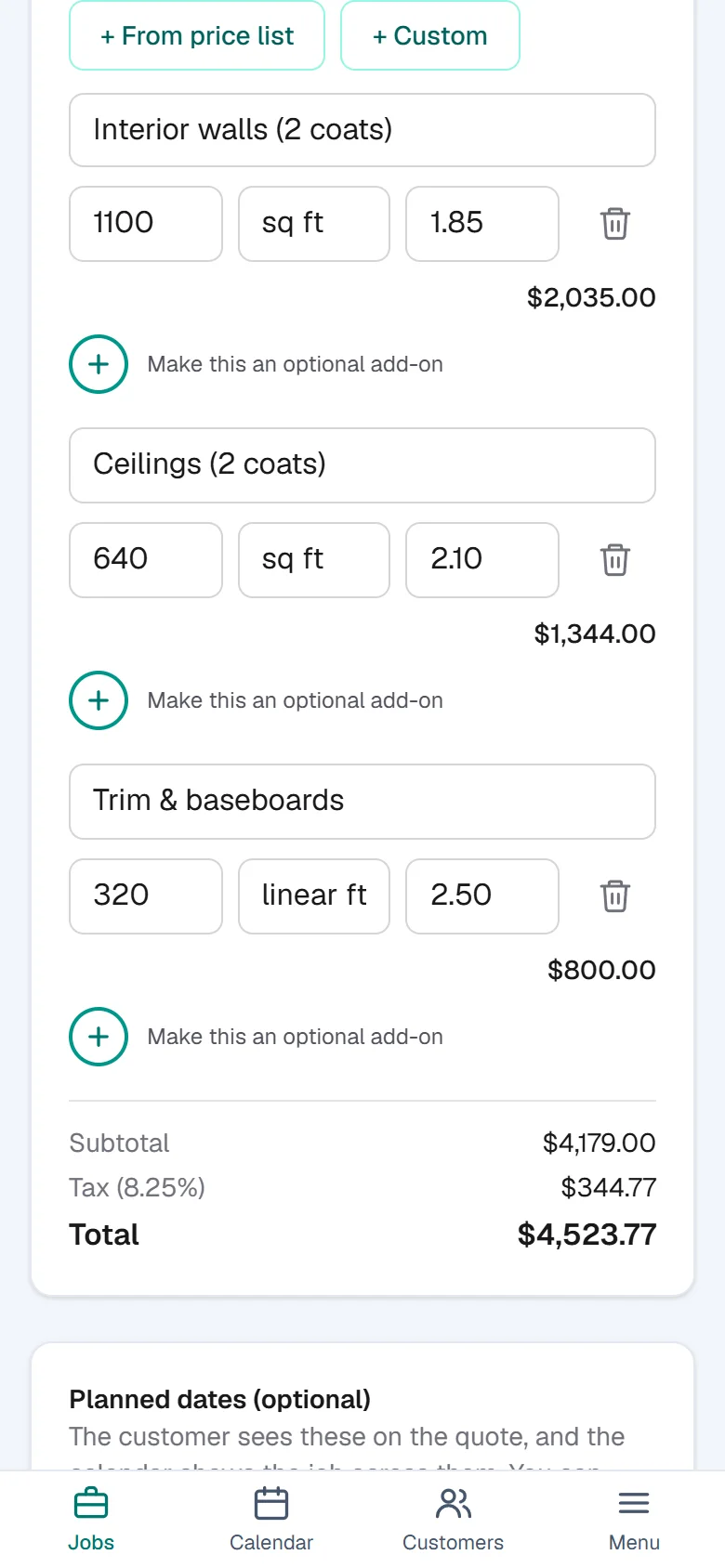
Quote it on site
Take photos, say or type what the job needs, and build the quote from your own price list. The AI can draft it; you check it.
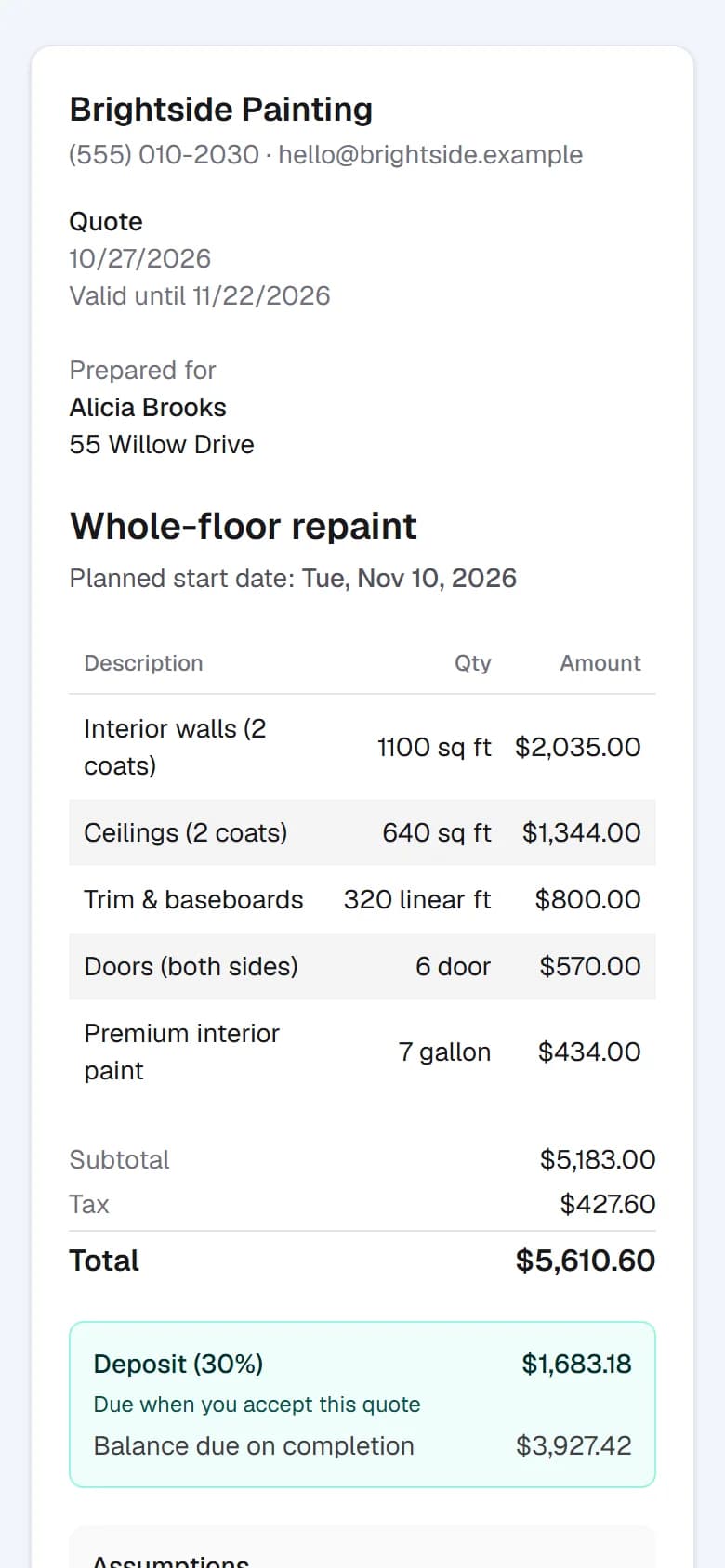
Your customer says yes on their phone
They get a link by text, no app and no account. They read the quote and accept by typing their name. A deposit can be due right then.
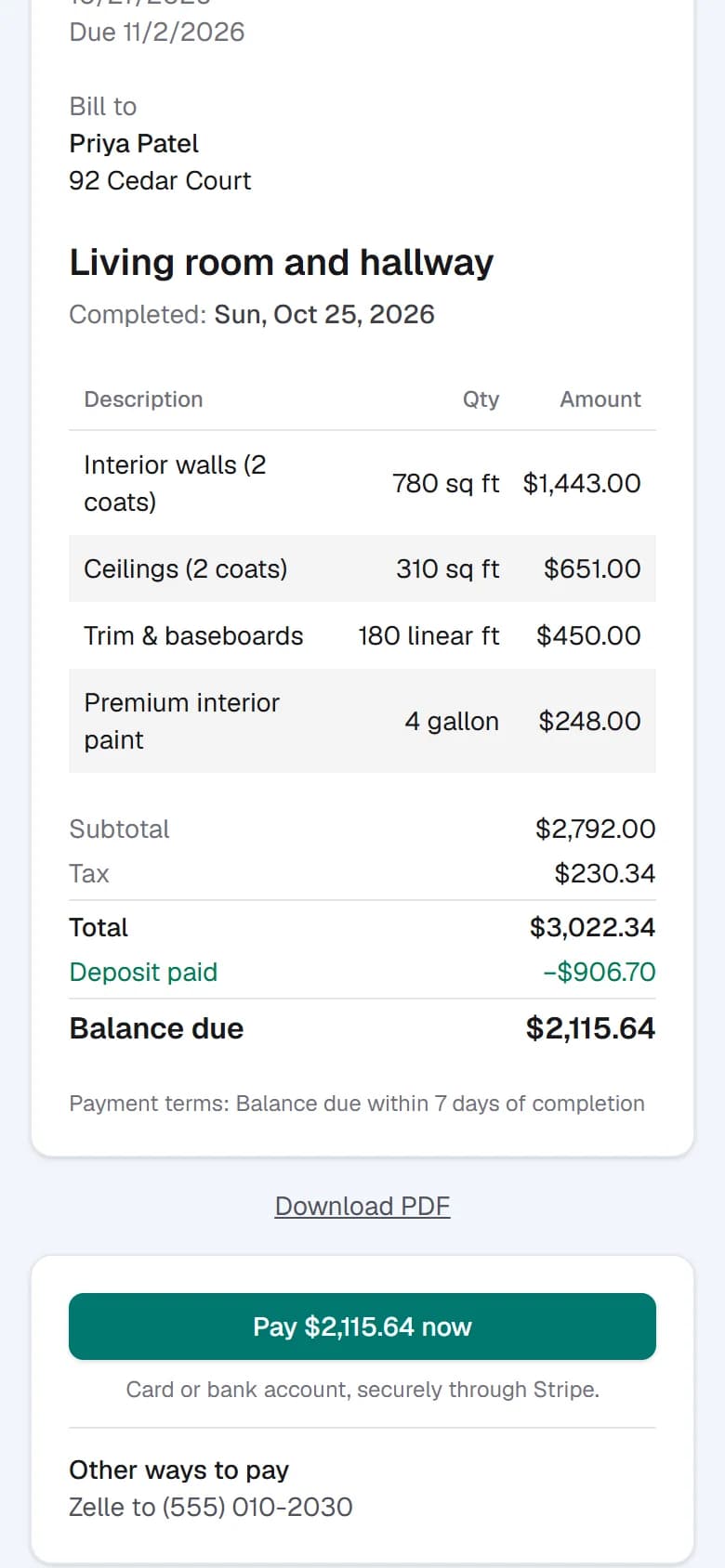
Get paid from the same link
Turn the job into an invoice in a tap. They pay by card or bank transfer, and deposits already paid come off the balance.
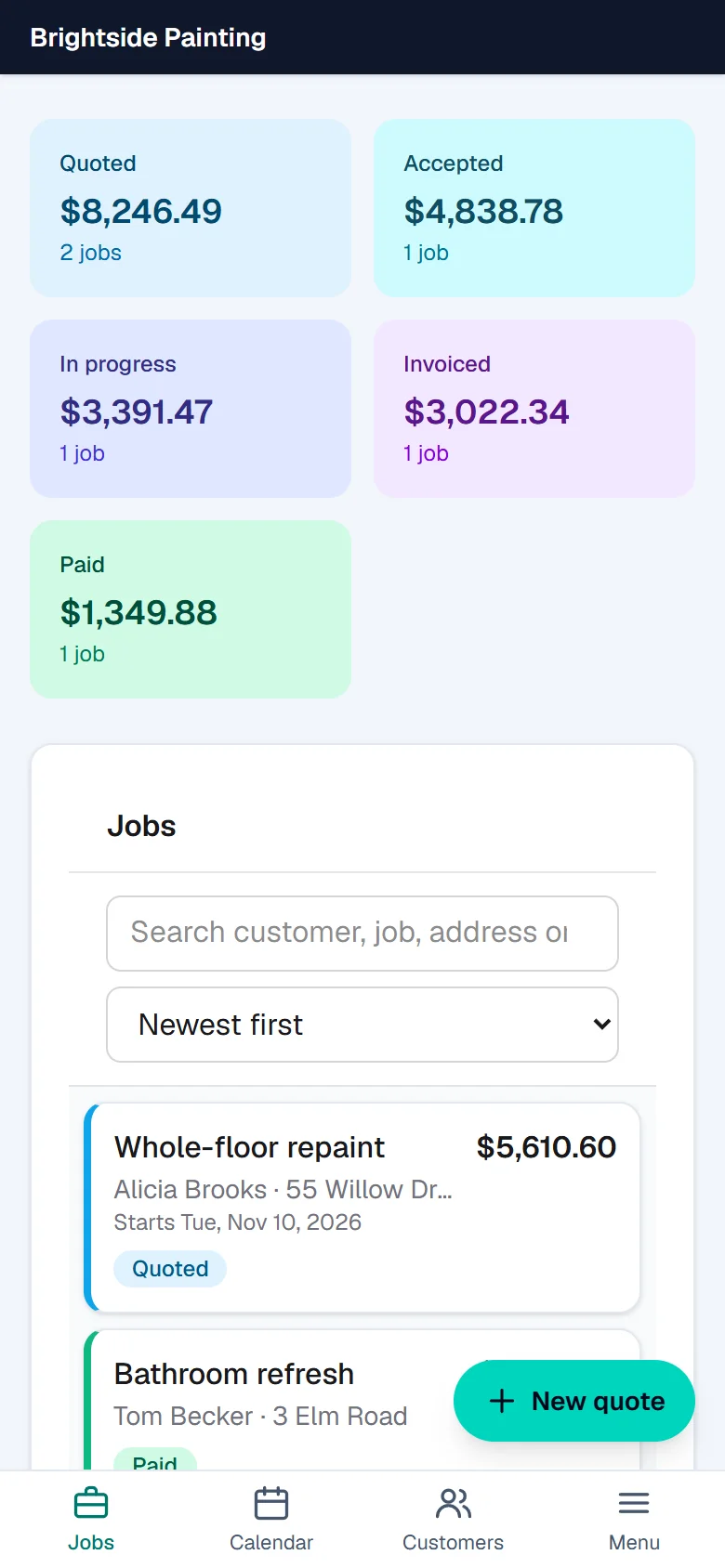
See every job at a glance
What is quoted, accepted, in progress, invoiced and paid, and who needs a nudge. Text reminders can go out for you.
Try it on your next quote.
- Create your account and pick your kind of work. It starts you with typical rates, which you can edit.
- Make a quote, and text it to your own phone to see what your customer sees.
- Send a real one on your next job.
Your customers don't need an app or an account. On your phone, add QuoteDash to your home screen (iPhone: Share, then Add to Home Screen; Android: the Chrome menu, then Install app). More about QuoteDash