Quote before you leave the driveway.
QuoteDash turns a site visit into a quote, an accepted job and a paid invoice, from your phone. Built for painters, plumbers, electricians and other trades.
Free for 14 days, no card needed. Then $29/month. Your customers don't need an app or an account.
How it works
From a price list to money in your account, in six steps. Every picture below is the real app.
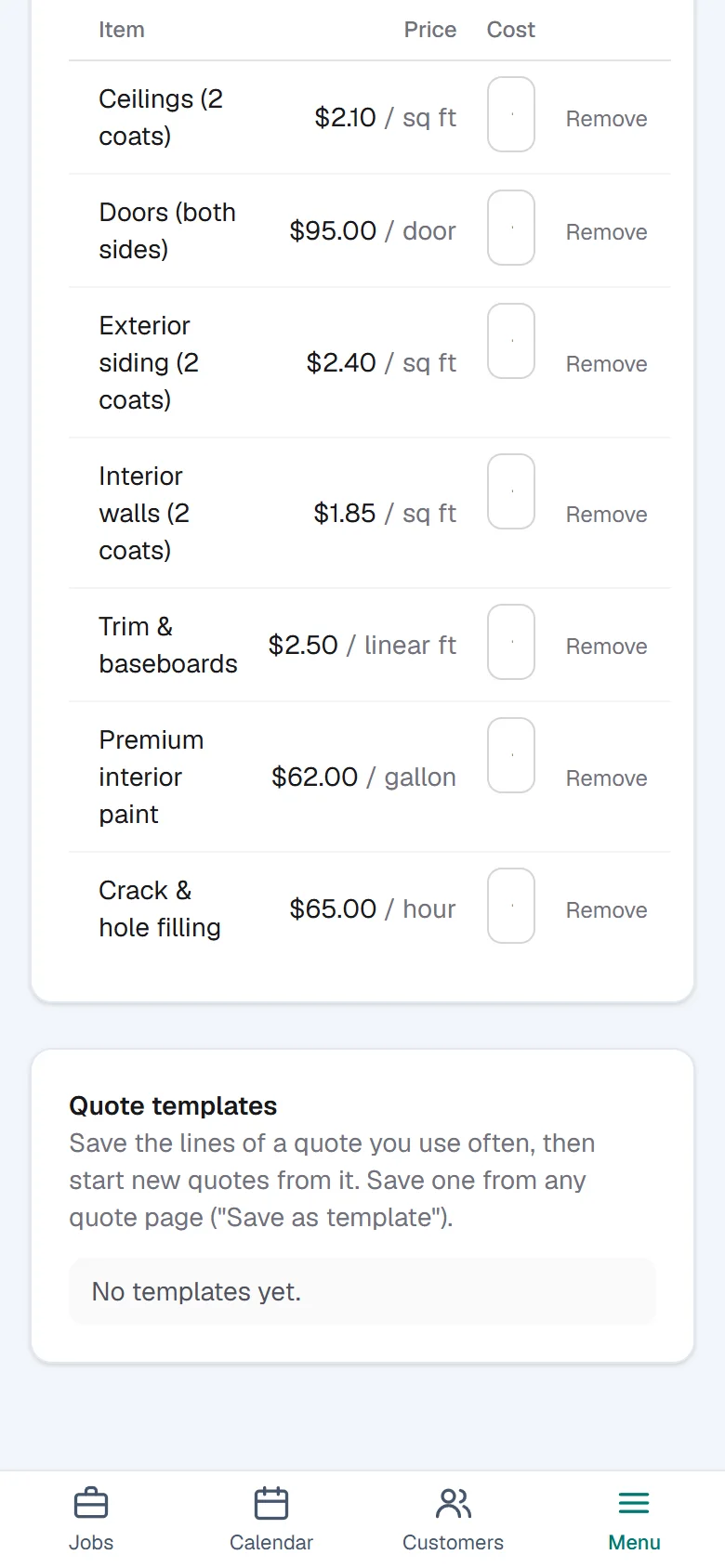
Set your prices once
Add your rates, or start from typical rates for your trade and edit them. Every quote is built from this list, so a quote always uses your numbers, and so does the AI.
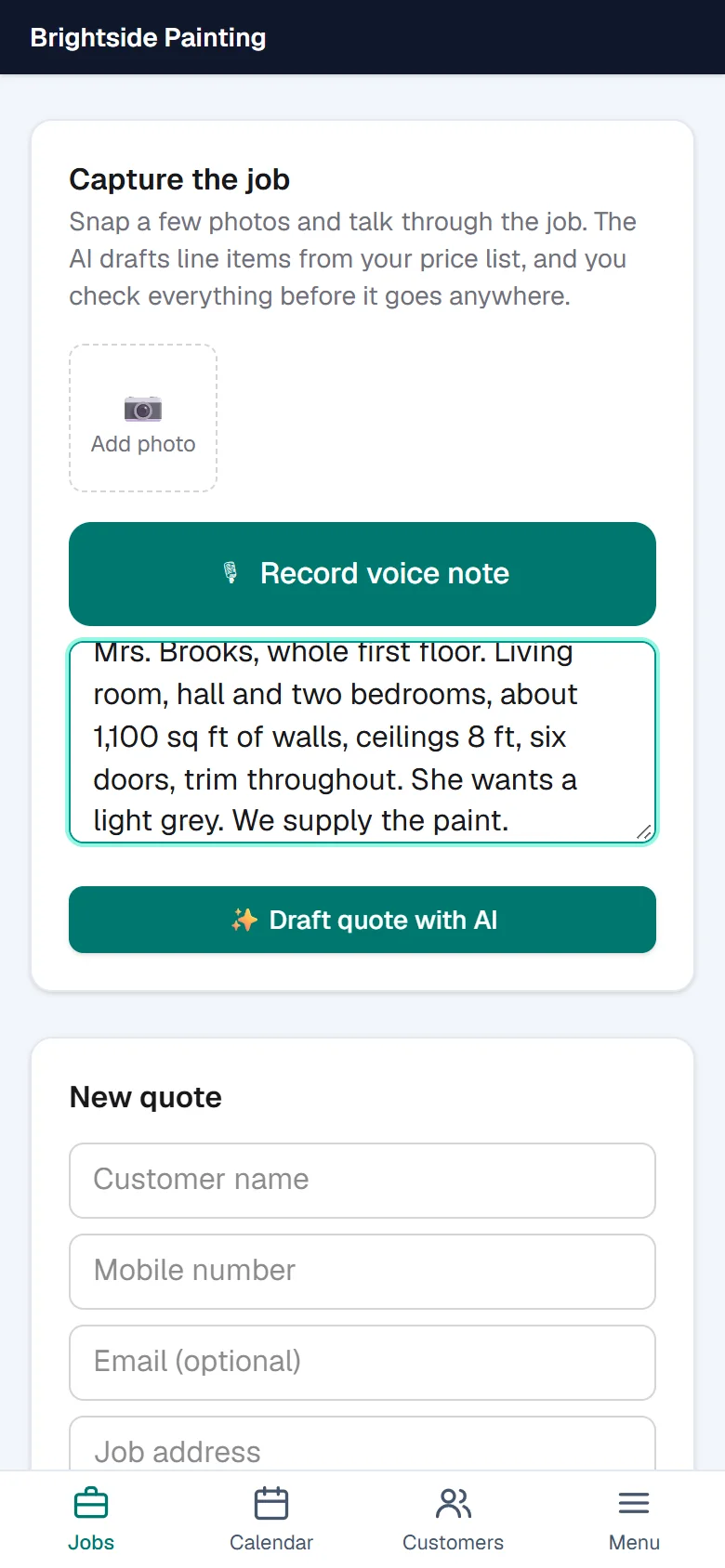
Describe the job on site
Take photos and talk through the job, or just type notes. The AI drafts the line items from your own price list. You read it and change anything before it goes anywhere.
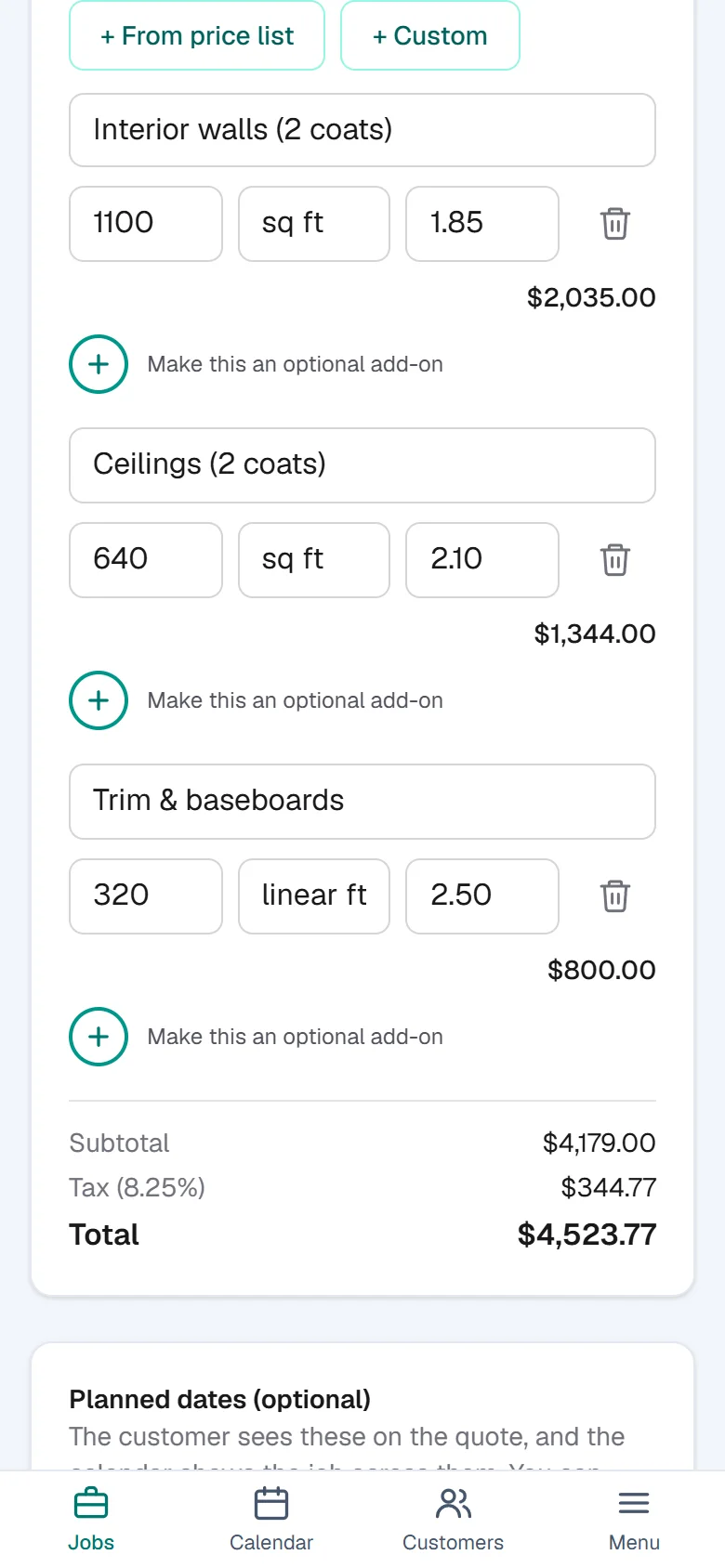
Build the quote, send it by text
Check the lines and quantities, add a deposit and a start date, and text the quote to your customer as a private link. No app for them to install.
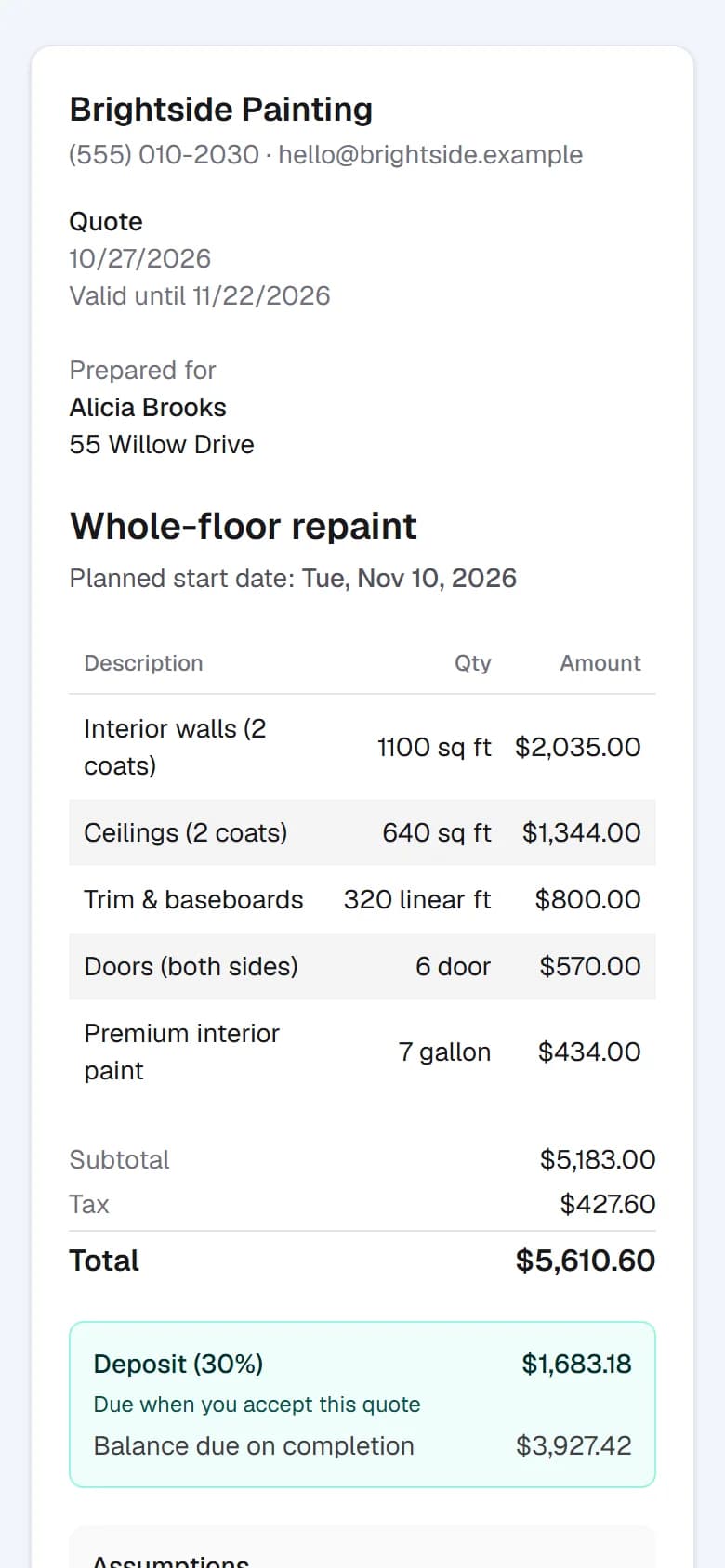
They accept on their phone
Your customer opens the link, reads the quote, and accepts by typing their name. You're told the moment they do. A deposit can be due right then.
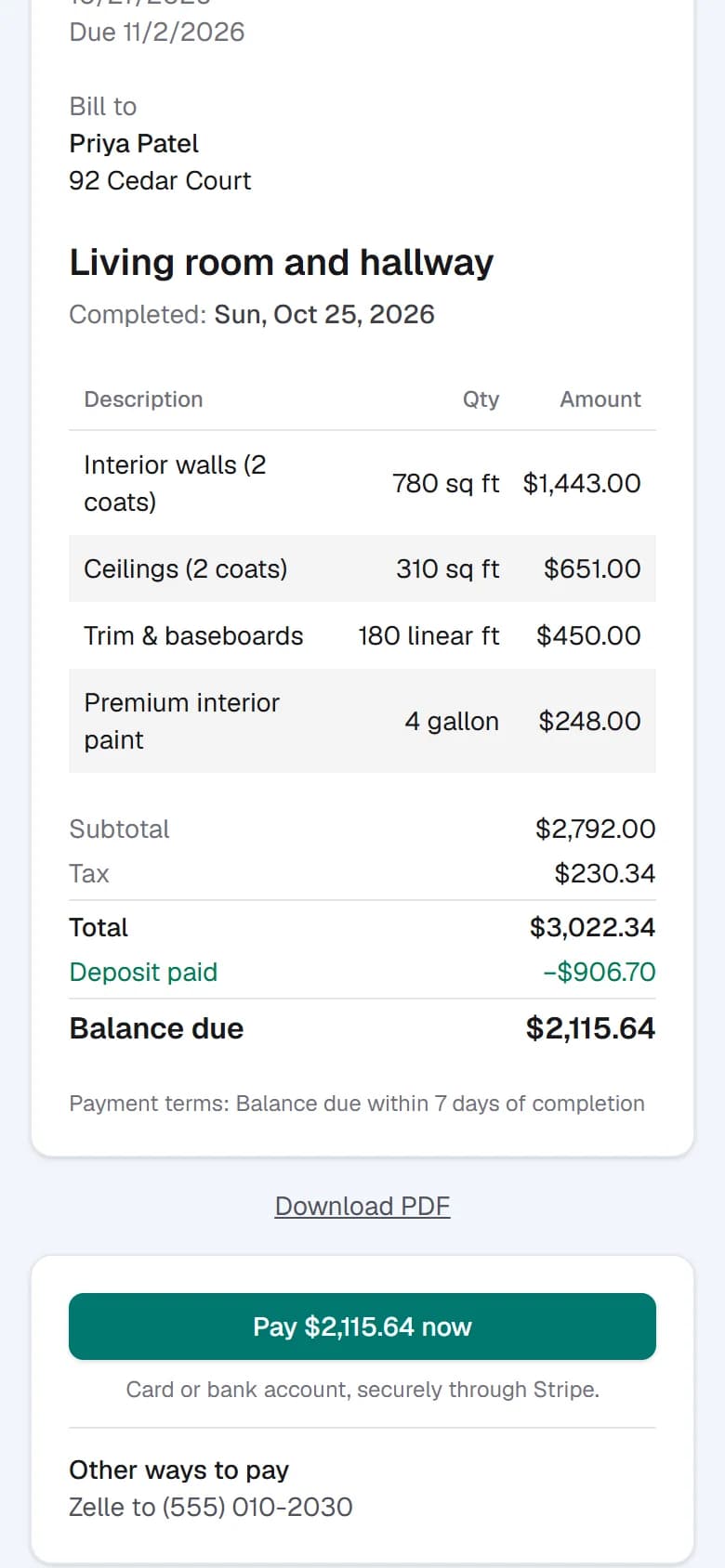
Invoice and get paid
Turn the accepted job into an invoice in a tap. Customers pay by card or bank transfer from the same kind of link, or follow your own payment instructions. Deposits and progress payments are credited automatically.
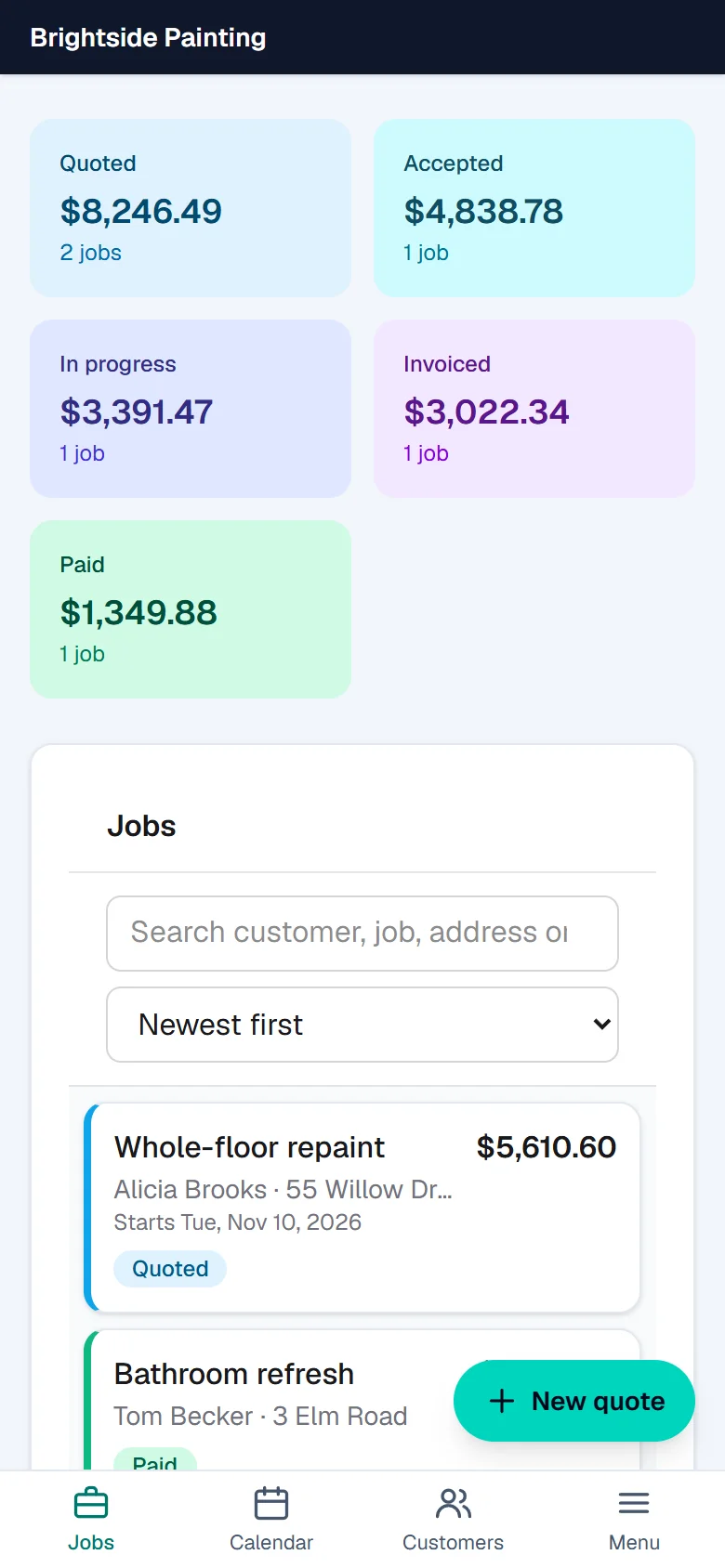
Know where every job stands
One screen shows what's quoted, accepted, in progress, invoiced and paid, and who needs a nudge: an unanswered quote, an unpaid deposit, an overdue invoice. Reminders can go out by text for you.
Everything a small trade business needs
Change orders
Extra work found on site? Write it up, text it, get it approved, and it lands on the invoice.
Payment plans
Split a big job into a deposit and progress payments, each with its own due date.
Text reminders
Follow up on quotes, deposits and overdue invoices without having to remember.
Calendar
Planned start and end dates, and a calendar of what's on and when.
Costs and profit
Log what a job cost you and see your profit. Customers never see your costs.
PDFs
A clean quote, invoice or change order as a PDF whenever you need one.
Photos
Keep site photos with the job, and choose which ones the customer sees.
Reports
Money in, money owed, how many quotes you win, and where jobs are stuck.
Made for your trade
Pick your kind of work when you sign up and start from typical rates for it. You can edit every price.
- Painting
- Plumbing
- Electrical
- Heating and air conditioning
- Roofing
- Landscaping and lawn care
- Carpentry and handyman
- Flooring
- General contractor or other trade
Questions
- Do my customers need an app or an account?
- No. They get a private link by text or email. They read, accept and pay in their phone's browser.
- Is it only for painters?
- No. You pick your kind of work when you sign up, and the starter rates and examples fit it. Painting, plumbing, electrical, heating and air, roofing, landscaping, carpentry, flooring and general contracting are all there.
- How do I get paid?
- Customers can pay by card or bank transfer through Stripe, and the money goes to your own Stripe account. You can also mark an invoice paid when a customer pays by check, cash or Zelle.
- Will the AI send something I didn't check?
- No. The AI only drafts, using your own price list. Nothing is sent to a customer until you send it.
- Does it work on my phone?
- Yes. It's built for the phone first, and works on a computer too.
Send your first quote today.
Set up your price list, and quote your next job before you leave the driveway.
Create your account