Quote before you leave the driveway.
QuoteDash turns a site visit into a quote, an accepted job and a paid invoice, from your phone. Built for painters, plumbers, electricians and other trades.
Free for 14 days, no card needed. Then $29/month. Your customers don't need an app or an account.
How it works
From a price list to money in your account, in six steps. Every picture below is the real app.
Rather click through it yourself?
Open a sample painting business with jobs in every stage. Look at the dashboard, a quote, an invoice and what your customer sees. Nothing is saved, and you don't need an account.
Try it yourselfSet your prices once
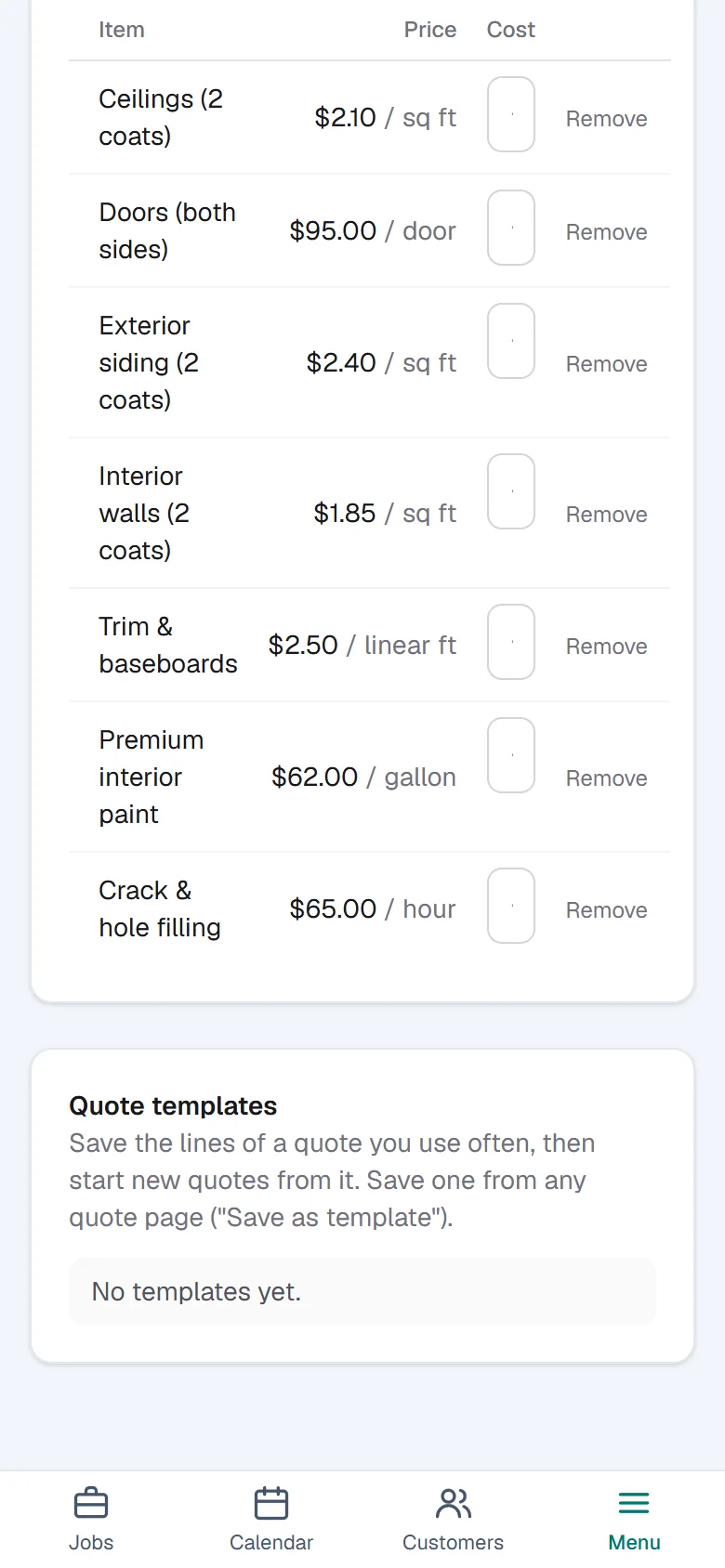
Add your rates, or start from typical rates for your trade and edit them. Every quote is built from this list, so a quote always uses your numbers, and so does the AI.
Describe the job on site
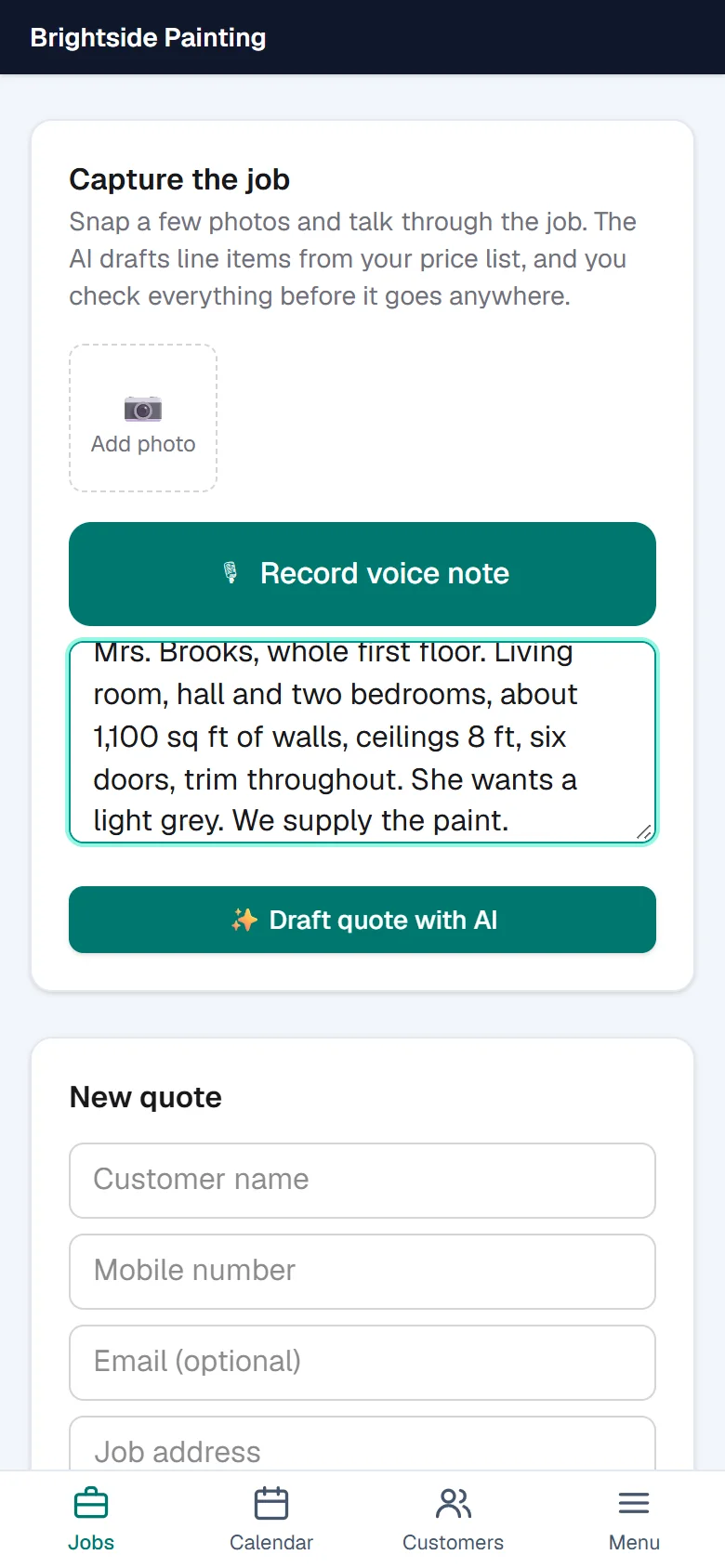
Take photos and talk through the job, or just type notes. The AI drafts the line items from your own price list. You read it and change anything before it goes anywhere.
Build the quote, send it by text
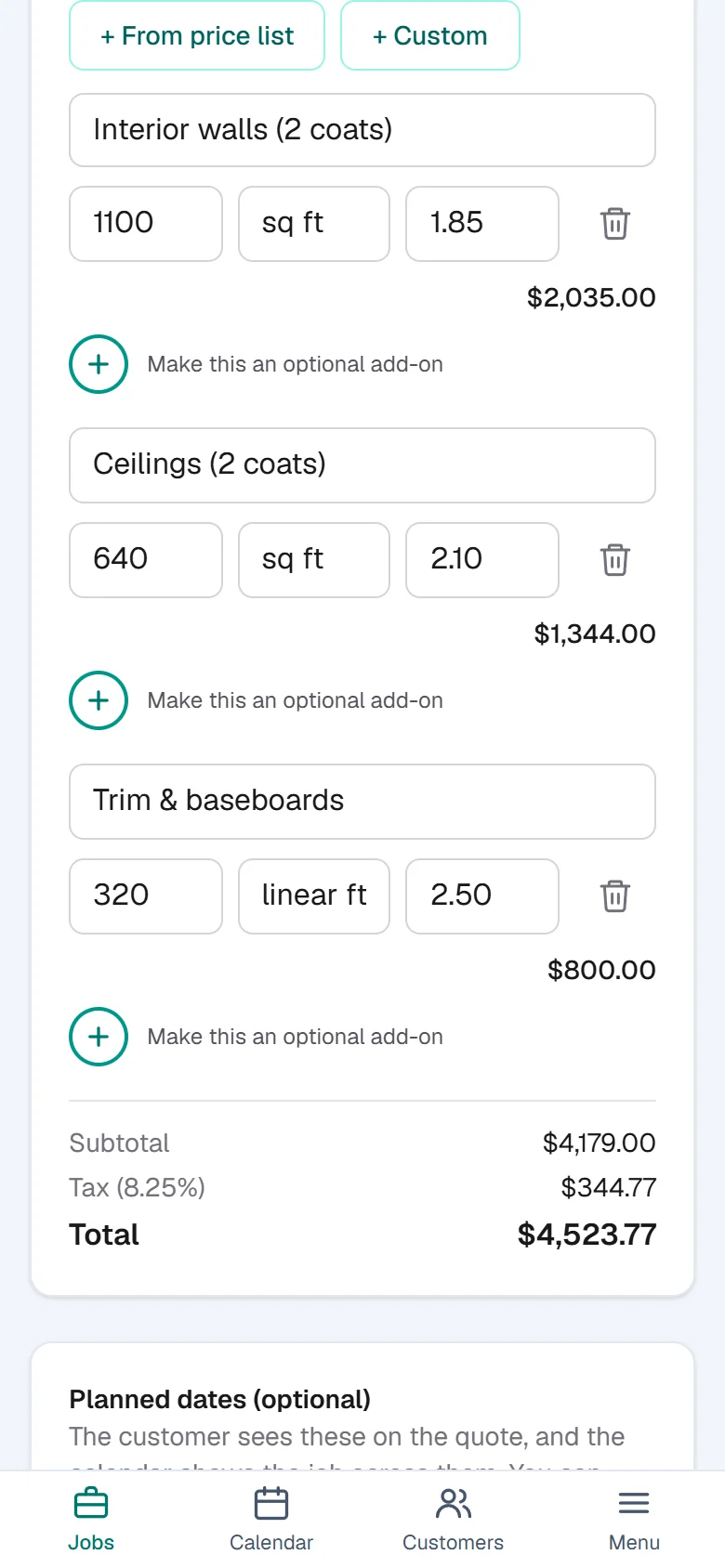
Check the lines and quantities, add a deposit and a start date, and text the quote to your customer as a private link. No app for them to install.
They accept on their phone
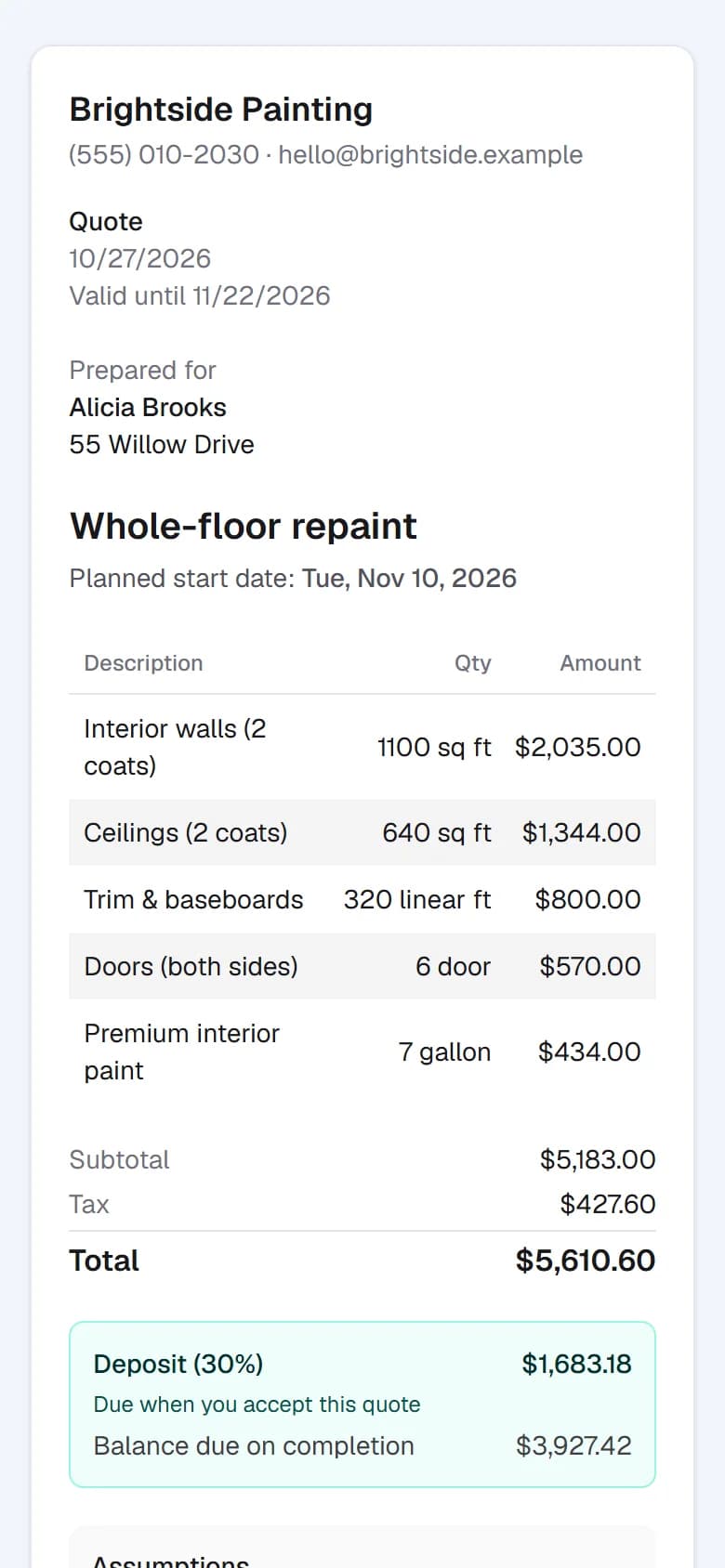
Your customer opens the link, reads the quote, and accepts by typing their name. You're told the moment they do. A deposit can be due right then.
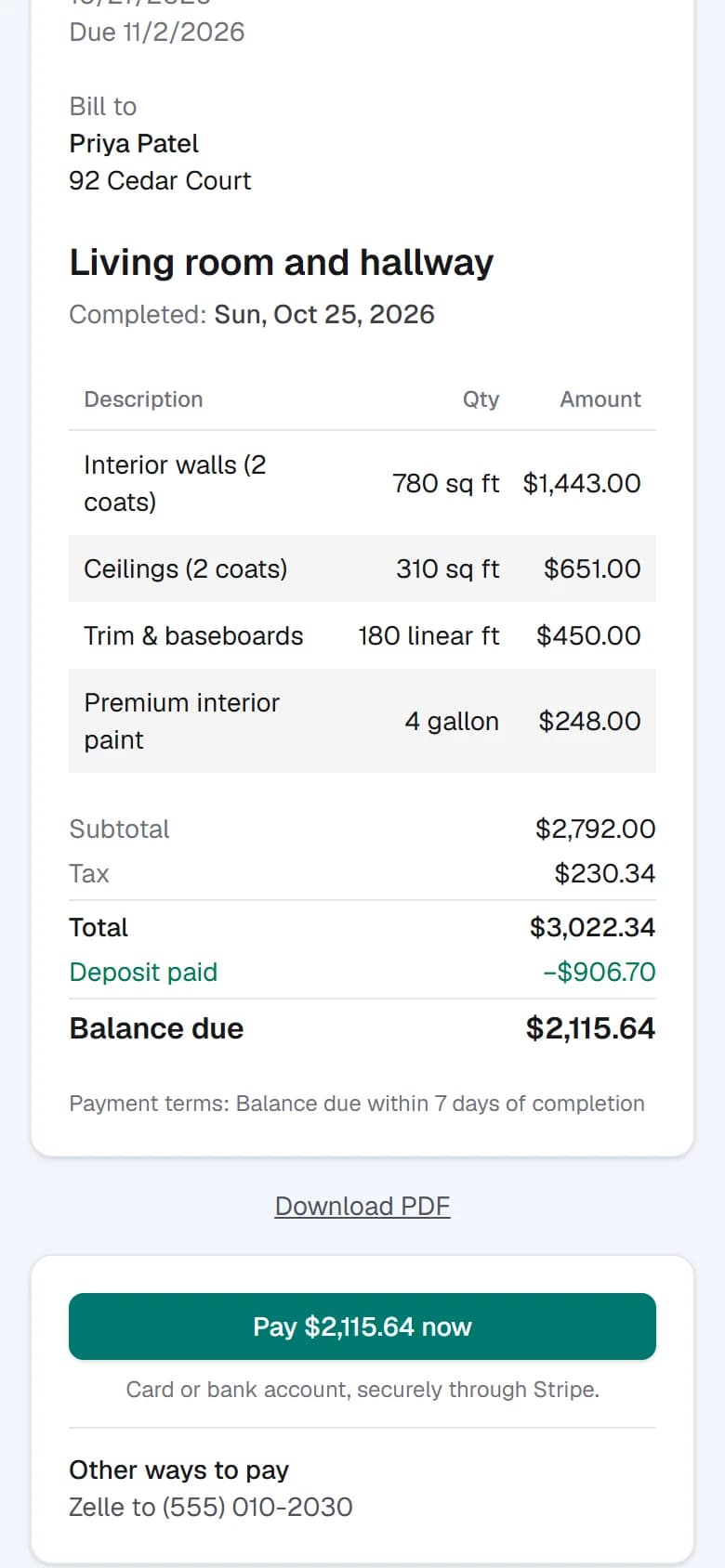
Invoice and get paid
Turn the accepted job into an invoice in a tap. Customers pay by card or bank transfer from the same kind of link, or follow your own payment instructions. Deposits and progress payments are credited automatically.
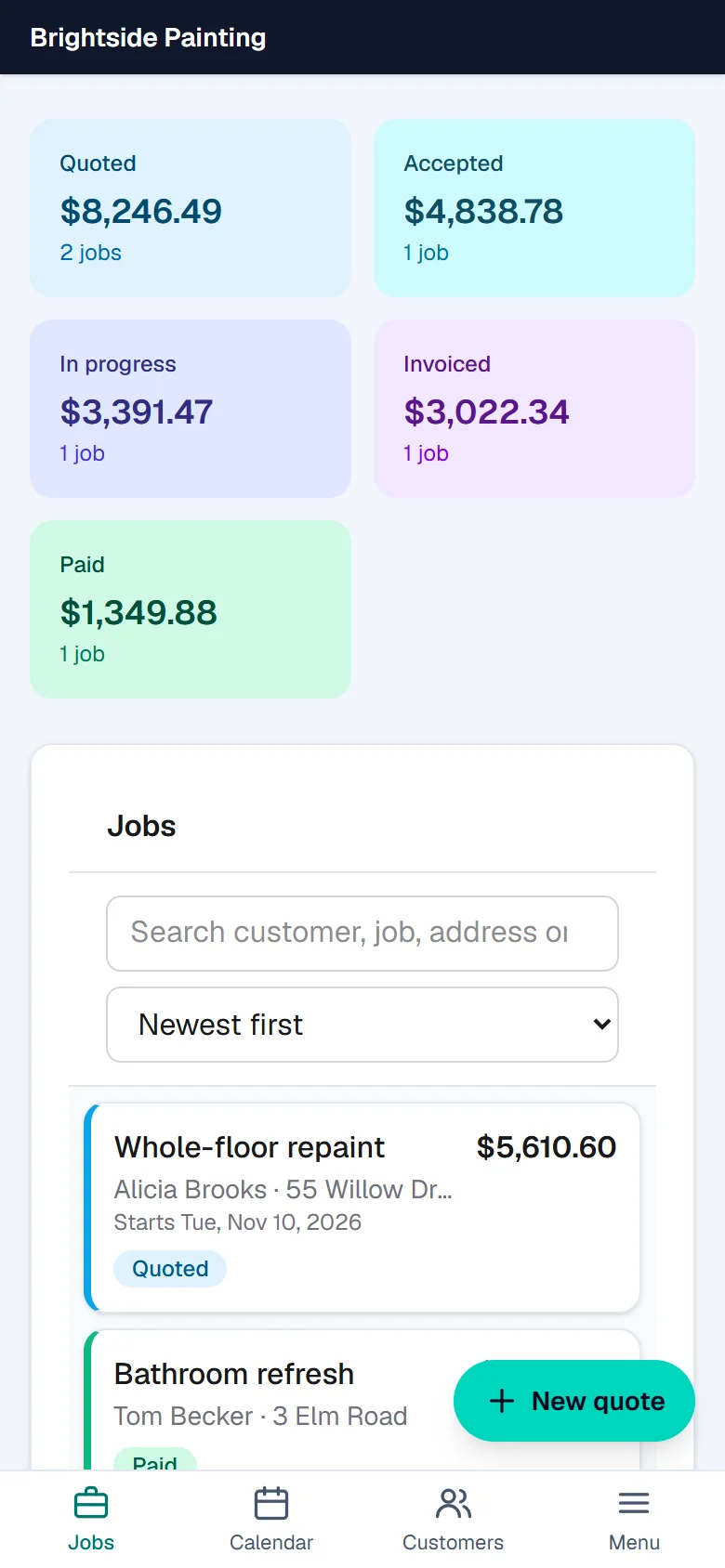
Know where every job stands
One screen shows what's quoted, accepted, in progress, invoiced and paid, and who needs a nudge: an unanswered quote, an unpaid deposit, an overdue invoice. Reminders can go out by text for you.
Everything a small trade business needs
Change orders
Extra work found on site? Write it up, text it, get it approved, and it lands on the invoice.
Payment plans
Split a big job into a deposit and progress payments, each with its own due date.
Text reminders
Follow up on quotes, deposits and overdue invoices without having to remember.
Calendar
Planned start and end dates, and a calendar of what's on and when.
Crew schedule
Add your crew, put them on jobs, set their hours each day, and see who is free or double-booked.
Costs and profit
Log what a job cost you and see your profit. Customers never see your costs.
PDFs and photos
A clean quote, invoice or change order as a PDF, and site photos kept with the job. You choose which photos the customer sees.
Reports
Money in, money owed, how many quotes you win, and where jobs are stuck.
Made for your trade
Pick your kind of work when you sign up and start from typical rates for it. You can edit every price.
One plan, $29/month
Everything is included, with no setup fee, no contract and no cut of your payments. Free for 14 days first, and no card needed.
See pricingQuestions
- Do my customers need an app or an account?
- No. They get a private link by text or email. They read, accept and pay in their phone's browser.
- Is it only for painters?
- No. You pick your kind of work when you sign up, and the starter rates and examples fit it. Painting, plumbing, electrical, heating and air, roofing, landscaping, carpentry, flooring and general contracting are all there.
- How do I get paid?
- Customers can pay by card or bank transfer through Stripe, and the money goes to your own Stripe account. You can also mark an invoice paid when a customer pays by check, cash or Venmo.
- Do I have to take payment by Stripe?
- No. You can accept the payment methods of your choice, including check, cash, Venmo and others. Write them under Other ways to pay in Settings and they show on every invoice, then mark the invoice paid yourself when the money arrives. A Stripe connection is offered as a convenience to both you and your customers.
- Will the AI send something I didn't check?
- No. The AI only drafts, using your own price list. Nothing is sent to a customer until you send it.
- Does it work on my phone?
- Yes. It's built for the phone first, and works on a computer too.
Send your first quote today.
Set up your price list, and quote your next job before you leave the driveway.
Create your account